
Welcome to Code Adventure
Code Adventure explores the ideas behind computing, from computational thinking, binary, memory, and computer architecture to programming, AI, and the history of computing.
Whether you’re new to coding or simply curious about how technology works, Code Adventure offers practical insights in articles, podcasts, videos, and examples that make complex concepts approachable without oversimplifying them. For example, look beyond writing code to explore how computational thinking can help us break down complex problems, recognize patterns, make better decisions, and develop creative solutions. These are concepts you can apply not only to programming, but also to learning, work, and everyday life.

Code Adventure explores ideas, strategies, and ways of thinking that make computer science and coding powerful.
Recent Posts
- Evolution of Programmability: Encode, Automate, Transform
 The punch card eventually disappeared. The idea behind it didn’t; information could be encoded in a form a machine could act upon.
 - Build Strong Coding Habits
 Professional developers don’t just write good code, they also develop habits that save time, reduce frustration, and improve debugging.
 - Decimal and Binary: Numeral System Conversions
 Learning how to convert between numeral systems such as decimal and binary deepens an understanding of how computers interpret information.
 - Bits and Binary: The Language of Computers
 Computers use binary because electronic circuits can reliably detect two electrical states, such as low voltage and high voltage.
 - Hexadecimal Numeral System (Base-16)
 The hexadecimal (base-16) numeral system uses both digits and letters; the digits 0–9 represent values 0 to 9, and then letters A–F represent values from 10 to 15.
 - Decimal Numeral System (Base-10)
 The decimal (base-10) numeral system uses the digits 0–9 to represent values. It is the most widely used numbering system in everyday life and is the standard system for counting and arithmetic in many countries.
 - Binary Numeral System (Base-2)
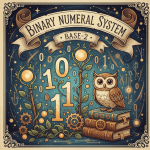 Understanding binary (base-2) is essential for programmers because everything we code ultimately compiles down to zeroes and ones.
Recent Videos

Tips
One Step at a Time
Start slow and change or add only one small thing, then test. If you add too many new things before testing, it can be more difficult to solve any bugs that appear.
- Add code that does one simple thing.
- Test and fix bugs if needed.
- Save.
- Repeat.
Practice Often & Learn by Doing
Practice is the key to learning how to code, and to improving your programming skills. Coding is similar to learning a musical instrument or a foreign language; practice is essential.
- Write code, solve problems, and build small projects to reinforce your understanding.
- Coding lets you practice problem solving and critical thinking skills which are valuable no matter what your career is.
- Master core concepts like data types, data structures, and algorithms, as these concepts cross disciplines.
Use Computational Thinking Concepts
Computational thinking helps solve challenging problems, and makes solutions more efficient and manageable.
- Break down complexity with decomposition.
- Look for patterns and develop reusable components.
- Use abstraction to prioritize essential characteristics.
- Create algorithms to solve a problem.
Write Understandable Code
Use meaningful names. Give your variables, functions, projects, and files descriptive and self-explanatory names.
When you are first learning to code you can keep notes in comments; your files can be learning experience journals. When you are more confident you can focus on self-documenting code and streamline your code.
Learn Keyboard Shortcuts
Learn common keyboard shortcuts so you can perform routine tasks more quickly.
- Ctrl+C / Cmd+C: Copy the selected item.
- Ctrl+X / Cmd+X: Cut the selected item.
- Ctrl+V / Cmd+V: Paste the item that was copied or cut.
- Ctrl+Z / Cmd+Z: Undo the previous action.
- Ctrl+Y / Cmd+Shift+Z: Redo the action that was undone.
- Ctrl+A / Cmd+A: Select all content.
- Alt+Tab / Cmd+Tab: Switch between open applications.
- Ctrl+S / Cmd+S: Save the current document.
Save Early, Safe Often, & Keep Multiple Backups
Adopt the habit of saving often, especially after you’ve added something significant. Use a shortcut command (Control-S or Command-s) to make saving easier and quicker.
Save your work in multiple locations. Especially if it is something important, like a portfolio of your work, make sure you have copies safely stored online and on a physical drive.
FAQ
How can I improve my coding skills quickly?
The key is to practice regularly.
Learning to code is like learning a musical instrument or a new language – if you want to improve you need to practice!
Work on small projects, participate in coding challenges, and contribute to open-source projects. Small projects are an excellent way to build your skills.
Don’t just read about coding; write code, solve problems, and build projects to reinforce your understanding.
What programming languages should I learn first?
Think about what you want to create and use a language that will help you achieve that goal.
Visual artists might enjoy learning Processing. There are several flavors (Java, JavaScript, and Python), and great learning resources. You can use their online editor or download a free coding environment for offline use on macOS, Windows, or Linux.
If you would like to make websites, two excellent resources are Learn to Code HTML & CSS by Shay Howe and Learn Web Development at Mozilla.
If you are unsure what you want to make, try starting with a language like Python or JavaScript, as they are widely used in multiple disciplines. Python is great for data science and JavaScript is essential for front-end web development and interactive applications.
How do I stay motivated while learning to code?
Set small, achievable goals, celebrate your progress, and connect with others who share your interests.
Coding communities and working on projects that interest you can also help maintain your enthusiasm.
What are the best resources for beginners?
The best resources depend on how you prefer to learn. Experiment with different study methods (visual, auditory, reading/writing, kinesthetic), and then reflect on which you find are most successful for comprehension and retention.
If you know which learning styles work best for you, seek out resources in that style. There are many great videos, online tutorials, articles, books, and interactive platforms available for free. There are also structured learning paths and community support – check for local programming groups (or join one online).
What are common mistakes beginners make in programming?
Common mistakes beginners make include frustration at errors (bugs are part of the process!), and failing to seek help when stuck.
Take your time, ask questions, and learn from errors to improve your coding skills effectively.
Most importantly, though, practice often! Start a project you are interested in, and then work on it throughout the week. Don’t stack all your practice on just one day – give your brain time between coding sessions to problem solve and absorb the new information.